The National Statistics Institute (INE) requires all properties located within national territory to submit data related to overnight stays and occupancy on a monthly or biweekly basis, depending on the type of property.
Integration with the INE not only allows for the automatic submission of information but also enables you to download the corresponding file. This way, if a submission does not occur correctly, we can always recover it.
In order to correctly generate the file that must be sent to the INE, we need to ensure that we complete the following:
If we wish to manually submit the file through the INE website, we can download the file.
Lastly, we can check the submission history to see if the file was sent correctly or not.
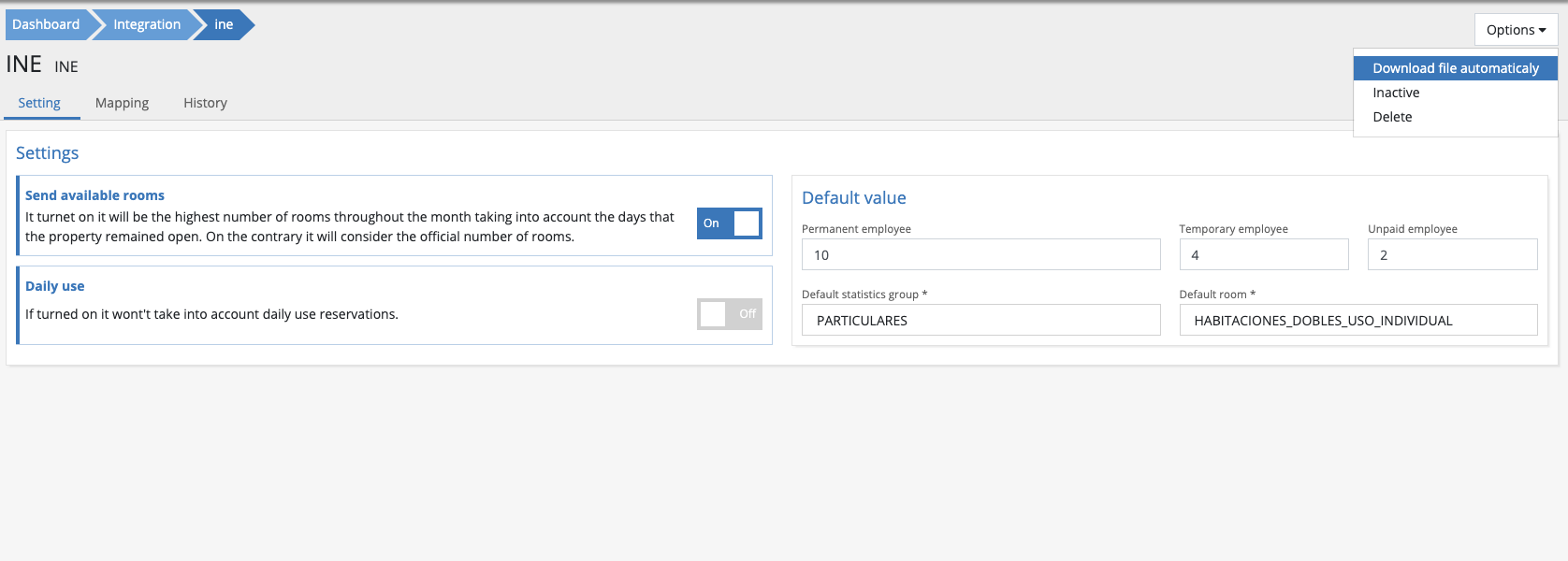
Basic data configurationThe first thing we need is to know the registration number associated with our property, which must be provided by the INE. Once we have it, we need to enter it in the configuration field. It is very important to have the correct number in order to correctly generate the submission file: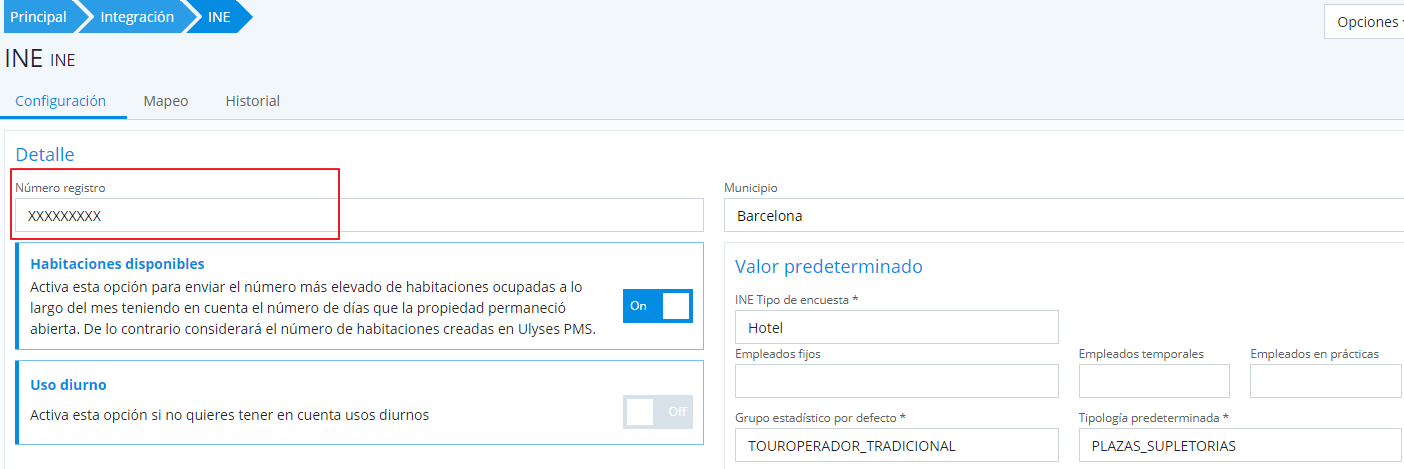 NOTE: The INE must also provide us with a username and password to access their platform from which we will send the file generated by UC.From the basic data configuration (Setting), we will indicate some default values as well as specify the number of reservations, rooms, and employees.
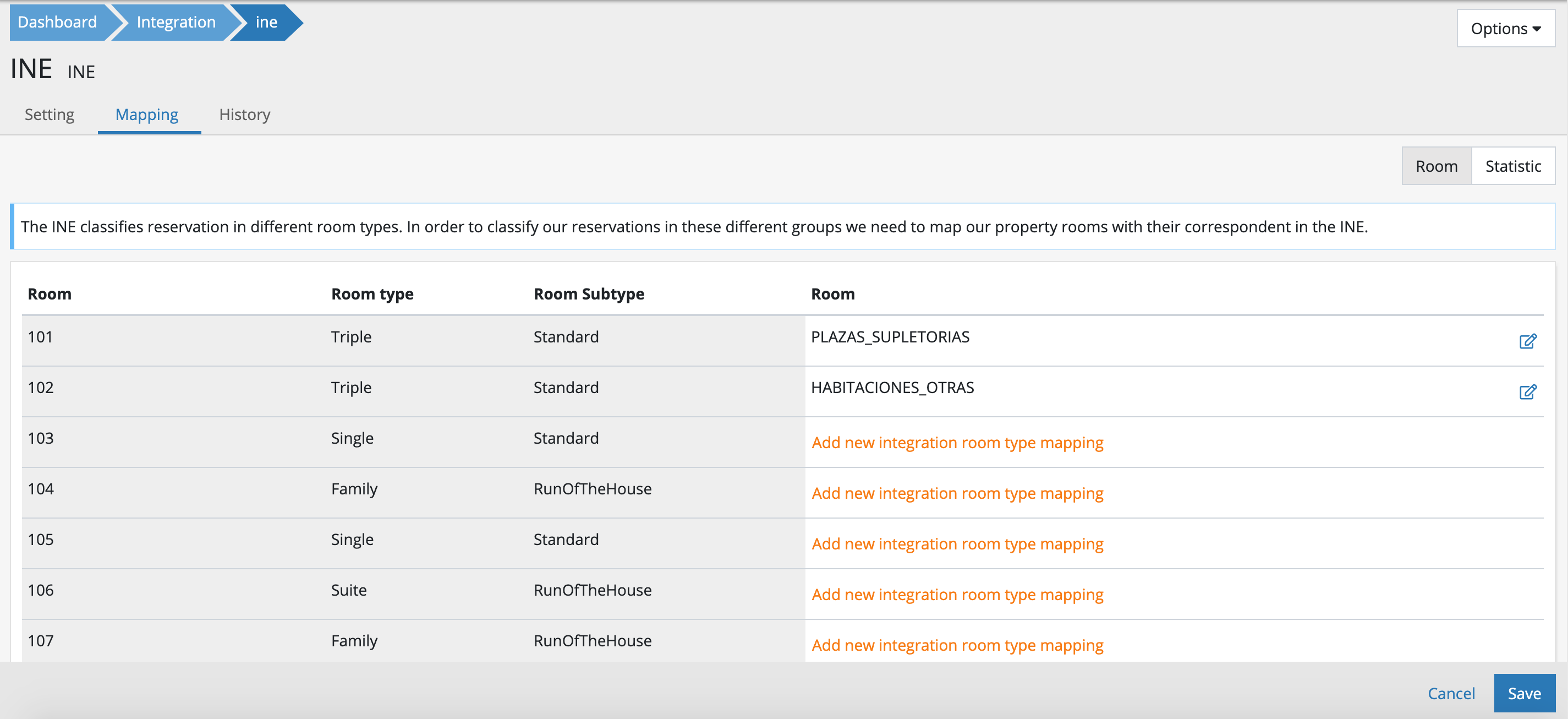
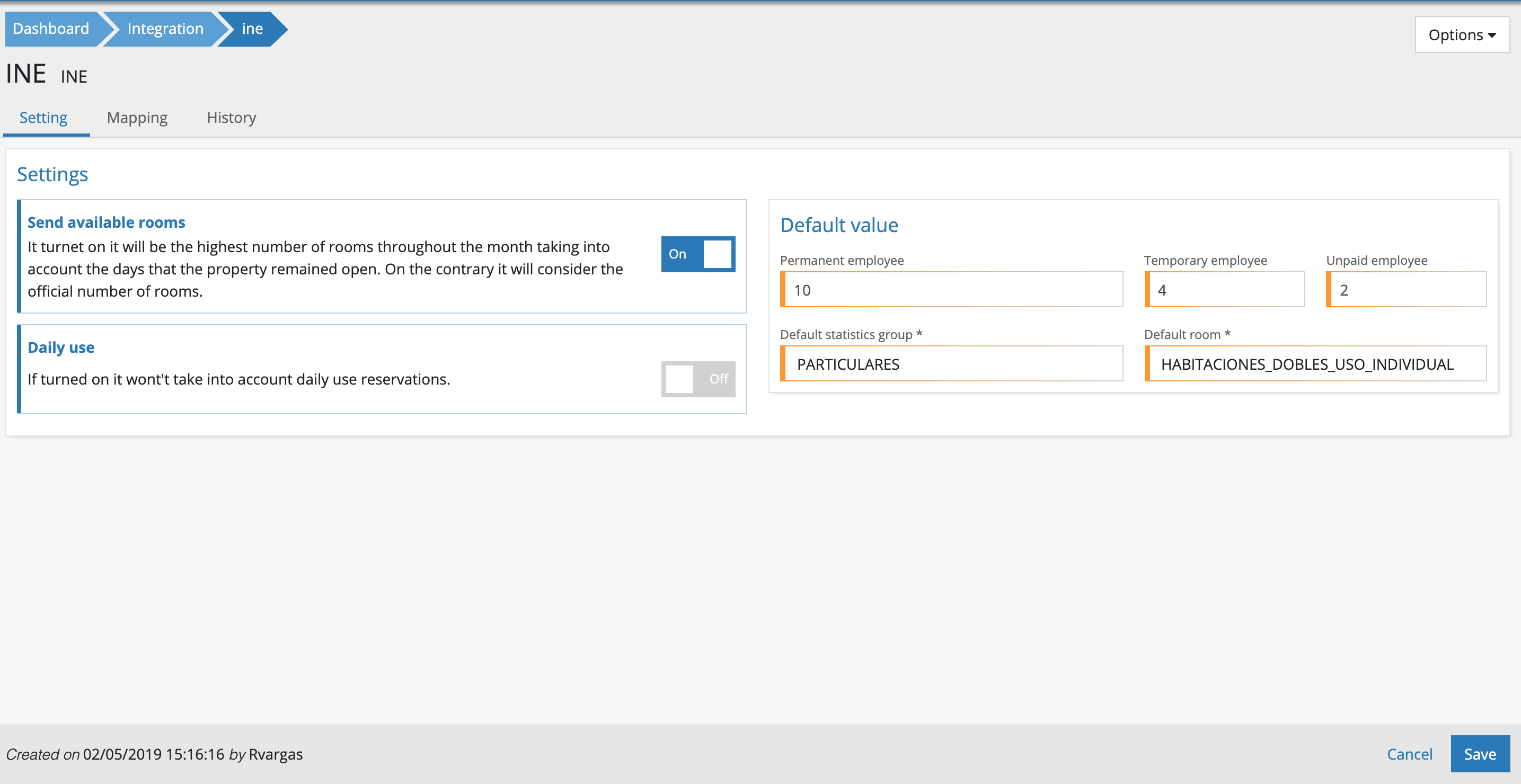 Send available rooms: By checking this option, we will send the number of rooms created in Ulyses PMS or the highest number of rooms if the property remained closedDaily use: With this option, we will consider (or not) reservations whose check-in and check-out dates were the samePermanent employee: Indicates the number of permanent employees at the propertyTemporary employee: Indicates the number of temporary employees at the propertyUnpaid employee: Indicates the number of interns at the propertyDefault statistic group / Default room: These indicate default values that will be sent to the INE in case any mapping is missing,Mapping configurationThe National Statistics Institute classifies reservations into certain types and predetermined statistical values. Since it will be necessary to relate their types with ours and their statistical groups with ours, we will need to complete the following mappings from the Mappings tab.Room mappingTo map rooms, click on the Room filter and indicate which type corresponds to each of the rooms
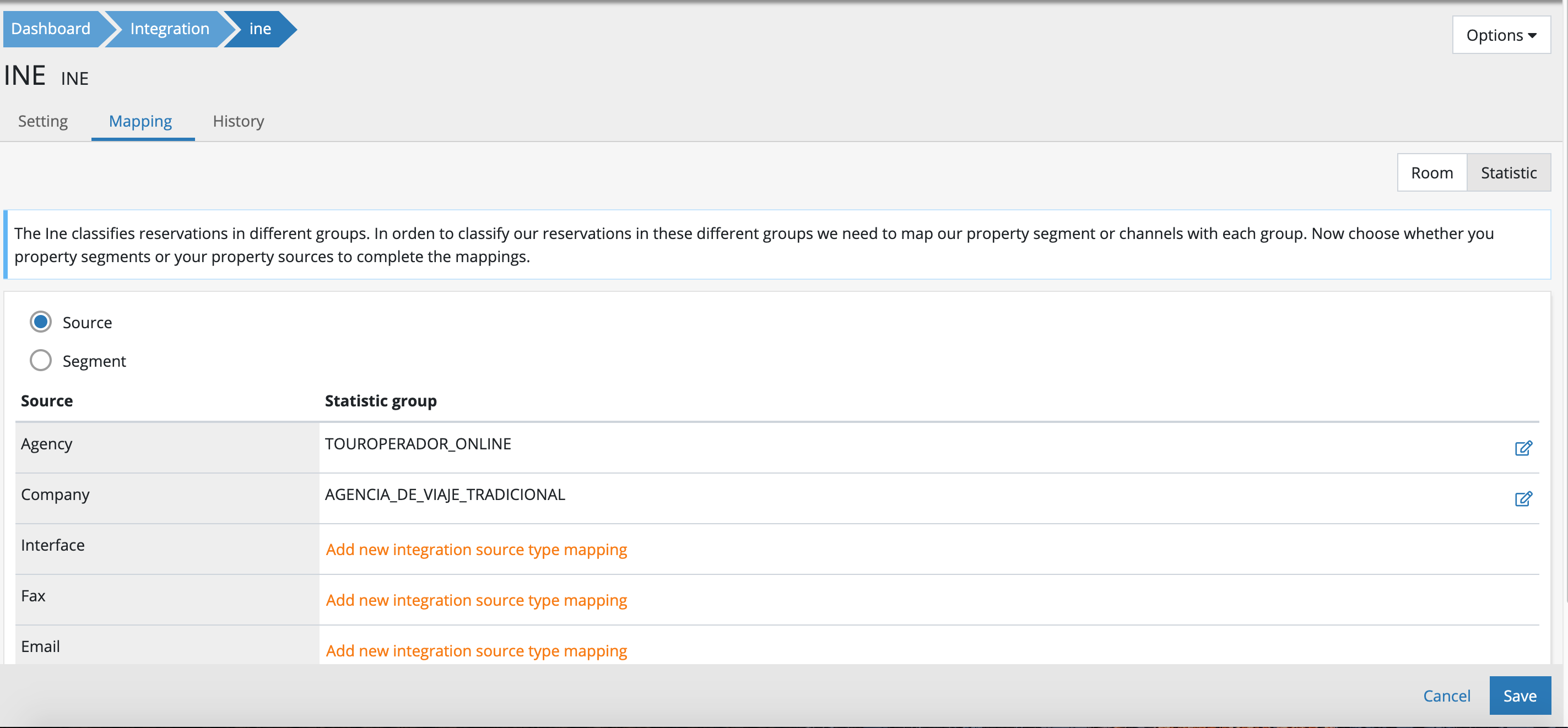
 Statistical group mappingSince the most relevant statistical groups we use in Ulyses PMS are source and segmentation, we will first choose which one we want to use to relate the INE statistical groups with those of Ulyses PMS.From there, we will select which INE statistical group we want to relate to each group in Ulyses PMS.
 File downloadFile download is useful whenever sending to the INE. To download the file, click on Options>Download file automatically
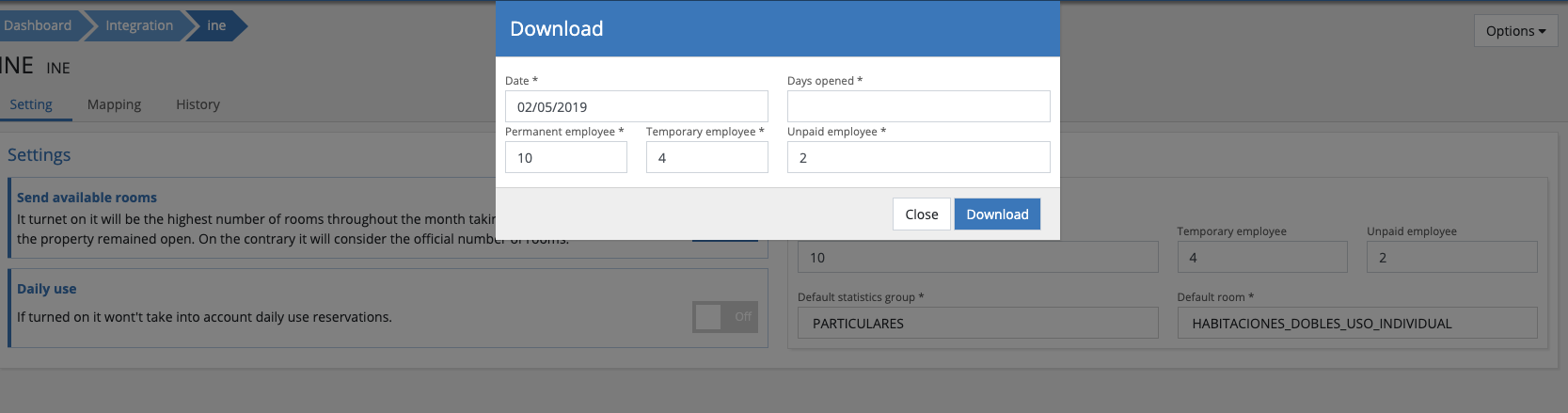
  From here, simply select the date (the month) for when you want to generate the file, and you can indicate the open days as well as the number of employees.
 Submission history